How to Choose a Wireless Charging Phone Stand
Key takeaway
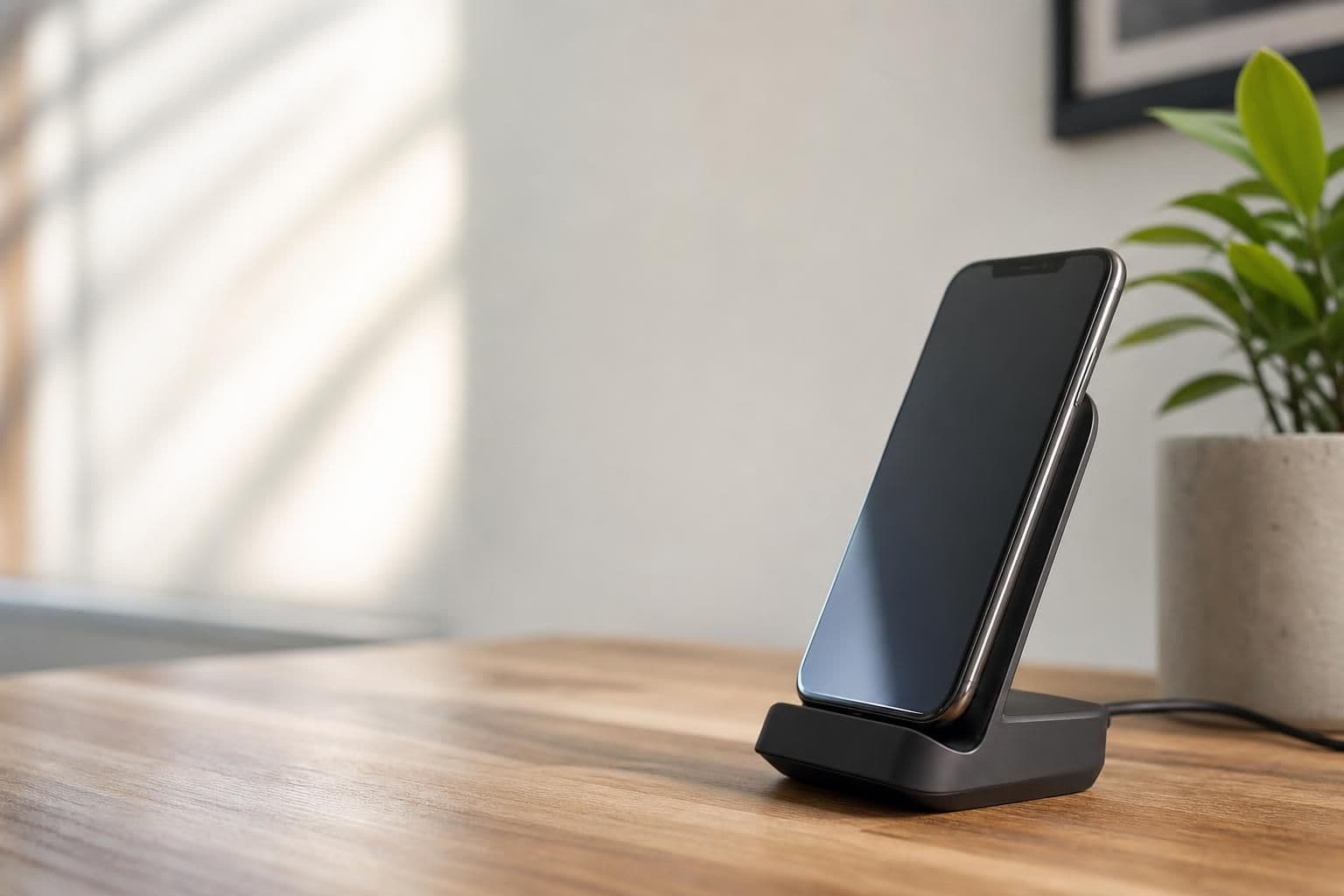
A wireless charging phone stand is a dock that holds your phone upright while charging it through a Qi coil instead of a cable, so you can glance at notifications, video calls, or recipes hands-free. The best one for you depends on your phone's charging wattage, whether you use a thick case, and where you'll actually put it — desk, nightstand, or kitchen counter. Price and looks matter less than coil alignment and a stable base.
Key takeaways
- Check that your phone supports Qi or Qi2 wireless charging before buying — most phones from the last several years do, but speeds vary by model.
- Match the stand's angle to your use case: steeper for video calls, flatter for reading texts at a glance.
- If your case is thick, magnetic, or has a built-in wallet, test charging speed before assuming the stand will work well.
How Wireless Charging Stands Actually Work
Wireless charging stands use the Qi standard, a wireless power protocol maintained by the Wireless Power Consortium, to transfer power through electromagnetic induction between a coil in the stand and a coil in your phone. Most Qi chargers top out around 15W for phones that support higher-speed charging, while older or budget phones may only pull 5-7.5W regardless of the stand's rated output. The newer Qi2 standard adds a magnetic ring that snaps the phone into perfect alignment, similar to how Apple's MagSafe system works, which reduces the "phone slightly off-center and barely charging" problem that plagued early wireless pads.
This matters for a stand specifically because alignment has to stay correct while the phone sits at an angle, not flat on a pad. A loose-fitting cradle that lets the phone shift even a few millimeters can drop charging speed or stop it entirely.
What to Check Before You Buy
Not every wireless stand suits every phone or setup. Before buying, run through this list:
- Wattage match — a stand rated for 15W won't charge a 15W-capable phone any faster than the phone allows, but a 5W stand will bottleneck a faster phone.
- Case compatibility — most Qi charging works through cases up to roughly 5mm thick; thicker cases, battery cases, or ones with metal rings can block or slow the charge.
- Stand angle — a steep, near-vertical angle suits video calls and Face ID unlocking; a lower angle suits reading texts or recipes without craning your neck.
- Base stability — a stand needs enough weight or grip on the bottom that tapping the screen doesn't tip it over.
- Cable and adapter included — some stands ship with a charging cable only, and the wall adapter's wattage output needs to meet or exceed the stand's rated input for full-speed charging.
Wireless Charging Stands vs. Regular Phone Stands
A regular, non-charging phone stand is simpler: no cable, no coil, no wattage math — you just set the phone in a slot or clip. That simplicity is worth something if you mainly want a stand for watching videos or holding your phone steady during calls rather than topping off the battery. If you're deciding between a dedicated charging stand and a plain holder, our guide on choosing the right stand for a desk setup walks through angle, grip style, and desk space tradeoffs in more depth.
Magnetic stands are a middle ground worth knowing about. They hold the phone securely using magnets rather than a charging coil, which means rock-solid positioning for video calls or hands-free scrolling even if the stand itself isn't a dedicated wireless charger. If that kind of secure, adjustable hold matters more to you than charging speed, it's worth reading what a 5-in-1 magnetic phone stand actually does before deciding which feature set fits your routine.
Where People Actually Use These Stands
Desk setups are the most common use case — propping the phone upright next to a monitor for notifications or a second screen during work. Nightstands are the second-biggest use case, since a charging stand doubles as a bedside dock that also displays the time and alerts. Kitchen counters come third, where a flatter angle works better for following a recipe video without the phone sliding into flour or batter.
Car use is a separate category with its own constraints — vibration, dashboard heat, and the need for a mount that clips to a vent or windshield rather than sitting on a flat surface. If you're shopping specifically for driving, the considerations are different enough that it's worth checking a dedicated guide to car phone mounts instead of assuming a desk stand will transfer well to a dashboard.
A Simple Way to Decide
If fast, cable-free charging while the phone sits upright is the main goal, prioritize a Qi or Qi2-rated stand that matches your phone's supported wattage. If you care more about a secure, adjustable hold for calls, video, or multitasking and don't mind plugging in a cable separately, a magnetic stand covers that need without the extra cost of built-in charging hardware — Valenza's 5-in-1 Magnetic Phone Stand is built around that kind of flexible positioning rather than wireless charging specifically, so it suits shoppers who want the stand and hold more than the cable-free charge.
Battery health is worth a mention too: the U.S. Department of Energy notes that lithium-ion batteries, the kind used in nearly all smartphones, degrade faster with heat exposure, and wireless charging generates slightly more heat than wired charging due to induction losses. That's not a reason to avoid wireless stands, but it's a reason to avoid leaving a phone wrapped in a thick case directly on a charging coil for hours at a stretch.
Frequently Asked Questions
Q: Does a wireless charging stand charge a phone as fast as a cable?
Usually not quite — wired charging typically delivers power slightly more efficiently because there's no induction gap to cross. For everyday top-ups the difference is minor, but for a near-dead battery a cable is still faster in most cases.
Q: Can I use a wireless charging stand with any phone case?
Thin, non-metal cases generally work fine since Qi charging passes through plastic, silicone, and most phone case materials. Thick cases, battery cases, or cases with metal plates or credit-card slots can block or weaken the charge, so it's worth testing or checking the case manufacturer's guidance.
Q: Is Qi2 the same as regular Qi charging?
Qi2 is an updated version of the Qi standard that adds a magnetic alignment ring, similar in concept to Apple's MagSafe, so the phone snaps into the correct charging position automatically. Older Qi-only stands still work with Qi2 phones, but without the magnetic snap or the full speed benefit.
Q: Will a wireless charging stand overheat my phone?
Wireless charging produces somewhat more heat than wired charging due to energy lost in the induction process, but normal use in a cool room isn't typically a safety concern. Avoiding direct sunlight on the stand and removing very thick cases during charging helps keep heat lower.
Q: What angle is best for a wireless charging stand on a desk?
A mid-to-steep angle, roughly 60-70 degrees from flat, works well for glancing at notifications or joining video calls without tilting your head down. A flatter angle suits reading long text threads or following along with a video while seated close to the stand.