How to Store Cables Neatly at Home
Key takeaway
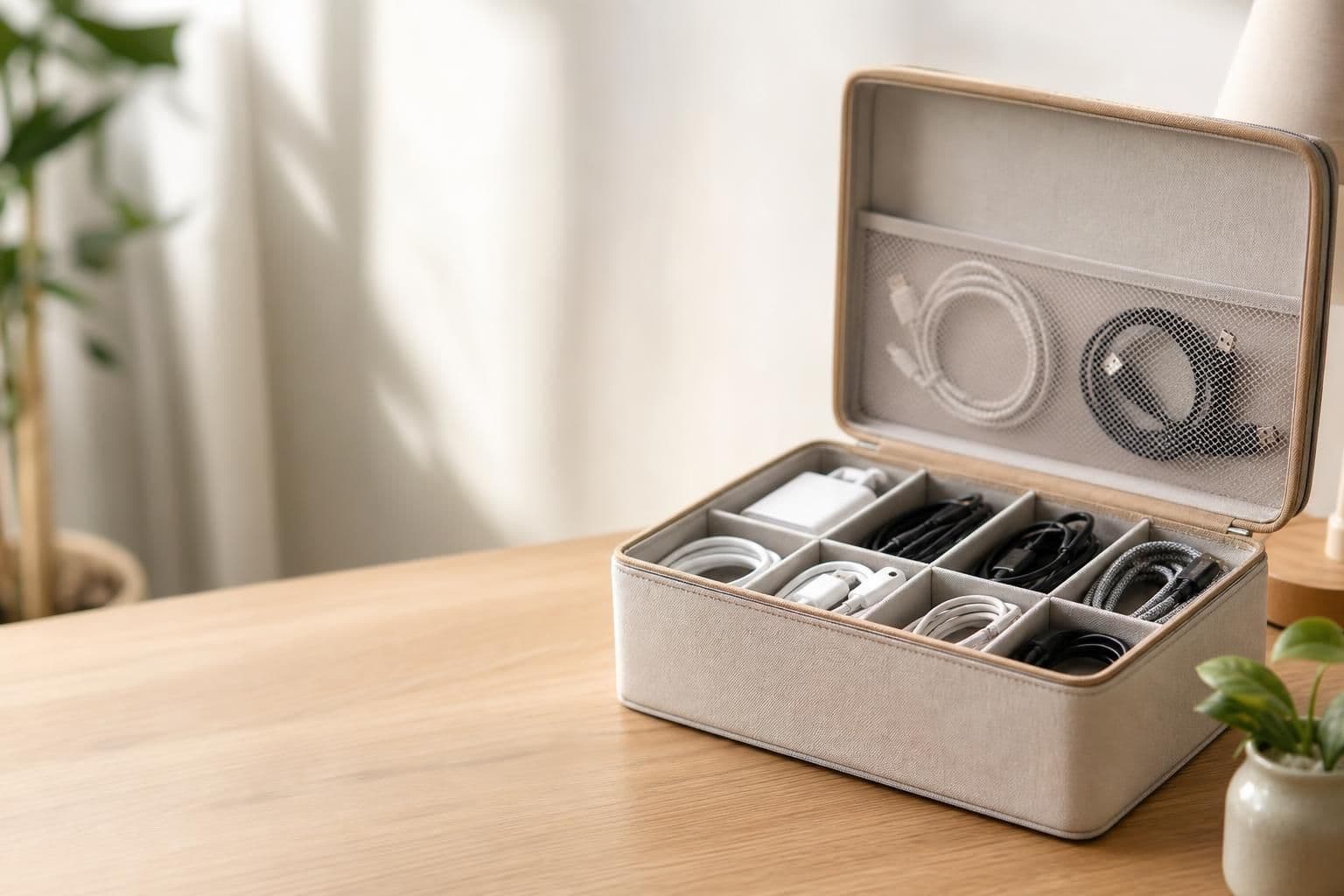
The fastest way to store cables neatly at home is to group them by purpose (charging, entertainment, office), bundle each group with a velcro tie or clip, and route them along furniture edges or through a cable box so they're out of sight but still reachable. Add labels at both ends of long or identical-looking cords so you never have to trace a wire across the room again. Once cables are grouped and anchored, clutter stops reappearing because there's a defined "home" for every cord.
Key takeaways
- Sort cables by function first, then bundle — random coiling is the #1 cause of repeat tangling.
- Anchor cords to furniture with adhesive clips so they can't fall behind desks or couches.
- Reducing the number of cables you own (via wireless charging or multi-device stands) is often easier than organizing more of them.
Why Cable Clutter Keeps Coming Back
Most homes don't have a cable problem so much as a "no system" problem. Cords get unplugged, moved, or added faster than anyone sorts them, so they pile up loose in a drawer or behind a TV stand. Without a fixed storage spot assigned to each type of cable — charging, audio, HDMI — every new gadget just adds to the pile instead of slotting into place.
A simple fix is to think in zones rather than individual cords: one zone for phone and laptop charging, one for entertainment equipment, one for kitchen gadgets. This mirrors the same zone-based approach used in home office organization on a budget, where grouping supplies by task cuts down on daily searching.
Quick Wins You Can Do in an Afternoon
These steps don't require special tools and can be done in under an hour for most rooms:
- Bundle by destination. Gather every cord going to the same outlet strip and tie them together with a velcro strap — reusable ties are easier to adjust later than zip ties.
- Label both ends. A strip of masking tape or a cable label at each end of a cord saves time when you need to unplug one specific device from a cluster.
- Use a cable box for power strips. A vented plastic box hides a power strip and its connected cords while still allowing airflow, which matters because enclosed, unventilated boxes can trap heat.
- Route cords along furniture legs. Adhesive clips or raceways run cords flush against a desk leg or wall baseboard instead of leaving them loose on the floor.
- Coil excess length. Loop extra cord length into a loose figure-eight and secure it, rather than letting slack pile on the floor where it's a trip hazard.
Desk and Home Office Setups
Desks tend to collect the most cables per square foot: monitor, keyboard, mouse, charger, and often a phone cord too. Running cords through a binder clip mounted under the desk edge keeps chargers from sliding to the floor every time you unplug your phone.
If your clutter is mostly phone and accessory cables, reducing the number of cords is often more effective than hiding them. A 5-in-1 Magnetic Phone Stand lets you dock a phone magnetically instead of plugging and unplugging a charging cable every time, which removes one cord entirely from the desk's daily rotation. For broader desk layout ideas, see this guide on setting up a small office so it feels less cramped.
Entertainment Centers and TV Stands
Behind a TV, cables multiply fast: power, HDMI, soundbar, streaming device. A cable raceway (a plastic channel that sticks to the wall or back of furniture) keeps these bundled vertically instead of pooling at the baseboard. Color-coding with tape — one color per device — makes it much faster to trace a single cord when you're troubleshooting a disconnected component.
Many TV stands also have built-in cord cutouts in the back panel; routing cables through these before connecting devices means you only have to do the cable management once, not every time you rearrange the room.
Cable Storage Safety Basics
Cord storage isn't only about looks — it affects fire and trip-hazard risk. The U.S. Consumer Product Safety Commission advises against running cords under rugs or carpets, since foot traffic can wear through insulation over time without it being visible. The National Fire Protection Association also recommends against overloading a single outlet or power strip with more devices than it's rated for, since overheating at the plug is a common starting point for electrical fires.
Practical takeaways for safe storage:
- Never route cords under rugs, even temporarily.
- Leave some airflow around power strips rather than sealing them completely inside a box.
- Replace any cord with a cracked, frayed, or exposed section instead of taping over it.
Reducing Cables Instead of Just Hiding Them
Sometimes the best organization strategy is owning fewer cords in the first place. Swapping a wired charging cable for a magnetic or wireless stand removes a cord from your daily routine rather than just tucking it away. If you're deciding between a few desk accessories, this comparison of choosing a wireless charging phone stand walks through what to look for if you want fewer loose cords at your workstation.
Maintaining the System
A cable system only stays neat if it's easy to put things back. After organizing, do a 60-second check every week or two: coil any cord that's come loose, re-clip anything that's slipped off a furniture edge, and relabel a cord if a label has worn off. This small habit prevents the slow slide back into a tangled drawer.
Frequently Asked Questions
Q: What's the cheapest way to store cables neatly at home?
Velcro ties, binder clips, and masking-tape labels cost very little and handle most bundling and labeling needs. A vented cable box for power strips is usually the only item worth buying if you want hidden storage.
Q: Is it safe to run cables under a rug?
No. The U.S. Consumer Product Safety Commission advises against this because foot traffic can wear through the cord's insulation without visible warning signs, increasing fire and shock risk.
Q: How do I stop phone charging cables from cluttering my desk?
Switching to a magnetic charging stand removes the need to plug and unplug a cable each time, which is one of the simplest ways to cut down on loose desk cords.
Q: Should I label both ends of a cable or just one?
Both ends, when possible. Labeling only one end still leaves you guessing at the far side of a cluttered power strip or wall outlet.
Q: How often should I redo my cable organization?
A quick check every one to two weeks is usually enough to catch loose ties or slipped clips before the clutter builds back up.