How Does a Dash Cam Work? A Plain-English Breakdown
Key takeaway
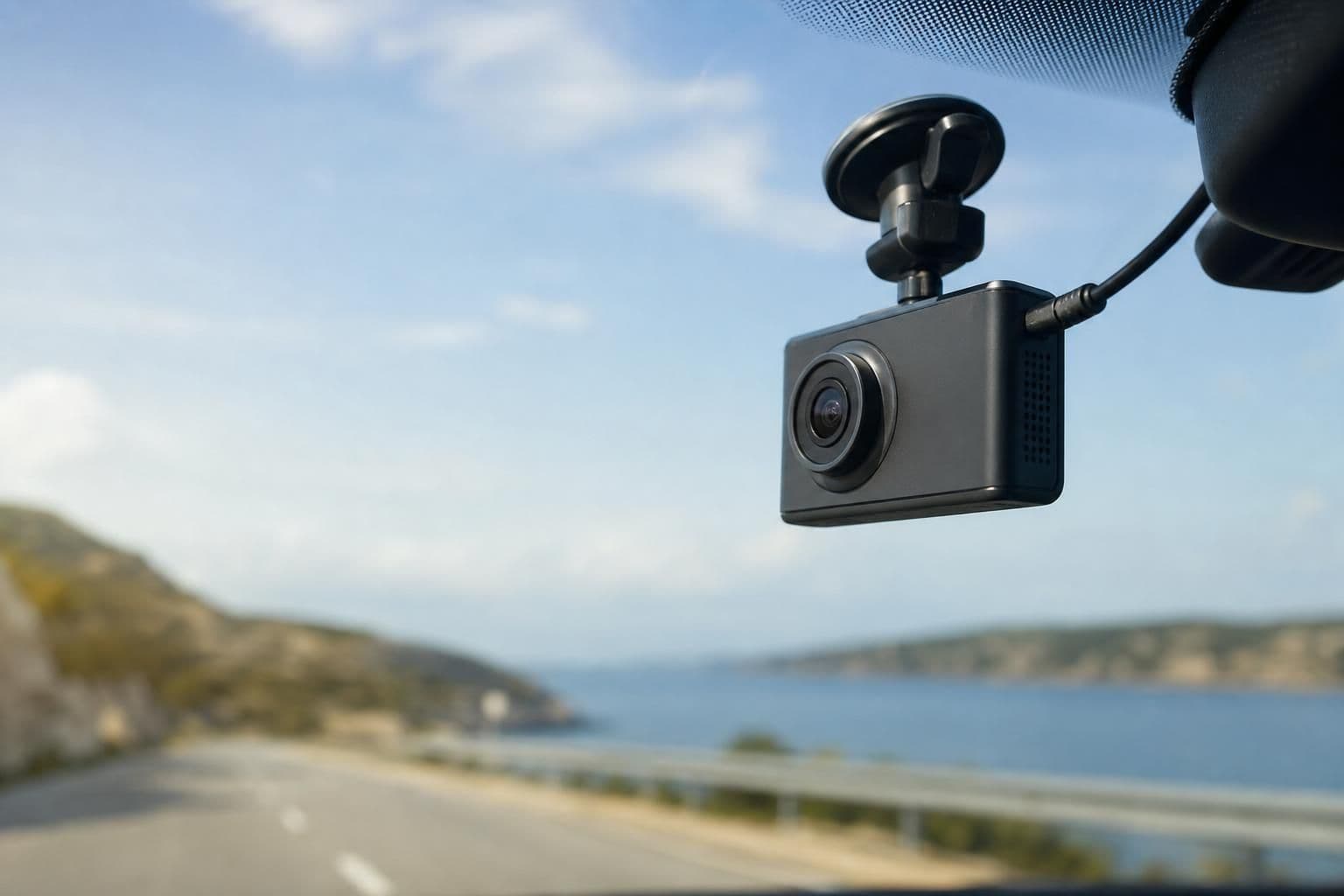
A dash cam is a small camera mounted on or near your windshield that continuously records video of the road while you drive, saving footage in short looped clips to a memory card so the oldest, least important footage gets overwritten automatically. Most models also include a motion or impact sensor that locks and saves a clip permanently if it detects a sudden stop or collision. Power usually comes from your car's 12V outlet or a hardwired kit, so the camera turns on and starts recording as soon as the engine starts.
Key takeaways
- Dash cams use loop recording, meaning old footage is overwritten unless a sensor flags it as important and locks it.
- A built-in G-sensor (accelerometer) detects sudden braking or impact and automatically saves that clip so it isn't erased.
- Footage is stored on a microSD card, not the cloud, on most consumer models, so card size determines how much history you keep.
The Basic Recording Cycle
A dash cam works on a simple loop: record, save in segments, and delete the oldest segment once the card is full. Clips are typically broken into 1 to 5 minute files rather than one long recording, which makes it easier to find a specific moment later and reduces the risk of losing everything if one file gets corrupted. Once the microSD card reaches capacity, the camera automatically deletes the oldest unlocked file to make room for new footage — this is why most dash cams keep recording indefinitely without ever needing you to manage storage manually.
If you're setting up a car for long drives in general, it's worth looking at what else earns a spot on your dashboard or in your glovebox; a dash cam is just one piece of a broader road trip accessory setup that also covers phone mounts, chargers, and comfort items.
What Triggers a Saved (Locked) Clip
The G-sensor is the component that decides which footage is worth protecting from the loop-delete cycle. When it senses a spike in force — hard braking, a pothole impact, or a collision — it automatically flags the current clip as "protected" or "locked," moving it into a separate folder that the loop-recording process won't touch. Many dash cams also let you manually lock a clip by pressing a button, which is useful if you witness something worth keeping even without a hard impact.
Some models add a parking mode that keeps the sensor active even when the car is off, using either a battery, a capacitor, or a hardwired connection to the car's electrical system. In parking mode, the camera stays dormant until motion or impact is detected nearby, then wakes up and records a short clip — this is the feature most often marketed for catching hit-and-run damage in a parking lot.
What's Actually Inside One
A typical dash cam combines a few core parts:
- Image sensor and lens — captures the video, with resolution commonly ranging from 1080p to 4K depending on the model.
- G-sensor (accelerometer) — detects sudden changes in speed or force to trigger clip locking.
- Processor and firmware — compresses video, manages the loop-recording cycle, and timestamps footage.
- microSD card slot — the physical storage; card speed and capacity affect how much footage you retain before overwriting starts.
- Mount and power cable — usually suction cup or adhesive, powered through a 12V outlet or hardwired kit.
Some higher-end units add GPS logging, which stamps each clip with speed and location data, and this can matter for insurance claims where establishing exact speed or position is useful evidence.
Why People Actually Buy One
The most common reason drivers install a dash cam is to have an objective record in case of a crash or dispute. The Insurance Information Institute notes that dashcam footage can help speed up claims processing by giving adjusters clear evidence of how an incident occurred, rather than relying only on driver accounts. Fleet operators and rideshare drivers also use them to document passenger interactions and protect against fraudulent claims.
Beyond crash evidence, footage is sometimes used to document road conditions, unexpected hazards, or scenic drives — though the accident-documentation use case remains the primary driver of adoption according to industry reporting on connected-car safety tech from the National Highway Traffic Safety Administration.
Where Dash Cams Fall Short — and What Fills the Gap
A windshield-mounted dash cam only sees what's directly in front of (or, with a dual-lens version, behind) the car. It won't capture anything if you're parked without power, walking to your car, or dealing with a situation outside the vehicle entirely — say, a delivery dispute or an incident in a parking garage. For that kind of coverage, a wearable option like a 4K Rotatable Body Camera fills the gap, since it moves with the person instead of staying fixed to the windshield.
If your main concern is protecting the interior of your car (and the electronics mounted on your dash) from sun damage while parked, a foldable windshield sunshade helps keep cabin temperatures down, which is also easier on any camera or mount left inside a hot car.
Recording Laws Vary — Know Before You Record
Video-only dash cam footage is generally legal to capture from your own vehicle in the United States, but audio recording is where things get more complicated. Some states require consent from all parties being recorded in a conversation, while others only require one party's consent — the Reporters Committee for Freedom of the Press maintains a breakdown of state-by-state recording consent laws. If your dash cam records audio, it's worth checking your state's specific rule rather than assuming video-only norms apply. Laws also vary by country, so if you're driving across a border, don't assume the same rules travel with you.
Frequently Asked Questions
Q: Does a dash cam record all the time or only during an accident?
It records continuously while the car is on, saving footage in short looped clips. It only "locks" or permanently saves a clip automatically when its sensor detects a sudden impact or hard brake.
Q: How long does dash cam footage stay before it's deleted?
That depends on the microSD card's capacity and the video resolution, since loop recording overwrites the oldest unlocked footage once the card fills up. A larger card simply extends how far back your footage history goes.
Q: Can a dash cam work without a memory card?
No — nearly all consumer dash cams write footage directly to a microSD card, so without one inserted, the camera has nowhere to save video even if it's actively recording.
Q: Is it legal to use a dash cam that records audio?
Video recording from your own vehicle is generally allowed, but audio consent laws vary by state and country. Check your local rules, especially if the camera is recording conversations, before relying on audio footage as evidence.
Q: Do dash cams work when the car is parked and turned off?
Only if the specific model has a parking mode, which requires either a hardwired power connection, a capacitor, or a dedicated battery to keep the sensor active while the engine is off.